By registering at our Online Business Suite, we enable you to manage your entire shipping process with us online – comfortably and at any given time.
This user guide will lead you through the registration process in just a few simple steps.
1. Go to the Login and Registration Page
To register, please visit our Online Business Suite. Now click on the Log in Button in the upper right corner.
If you already have an active login, you can just insert your email address and password, otherwise click on “Not yet registered”.
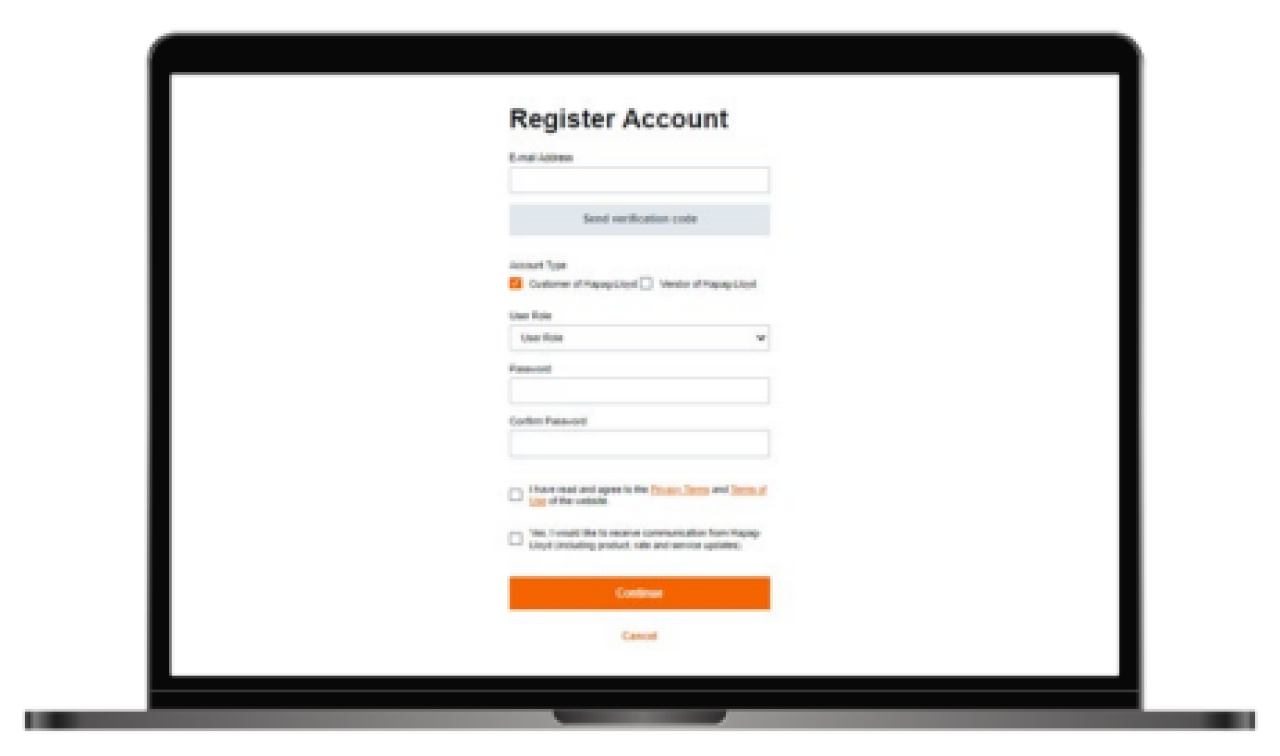
2. Fill out the Registration Form
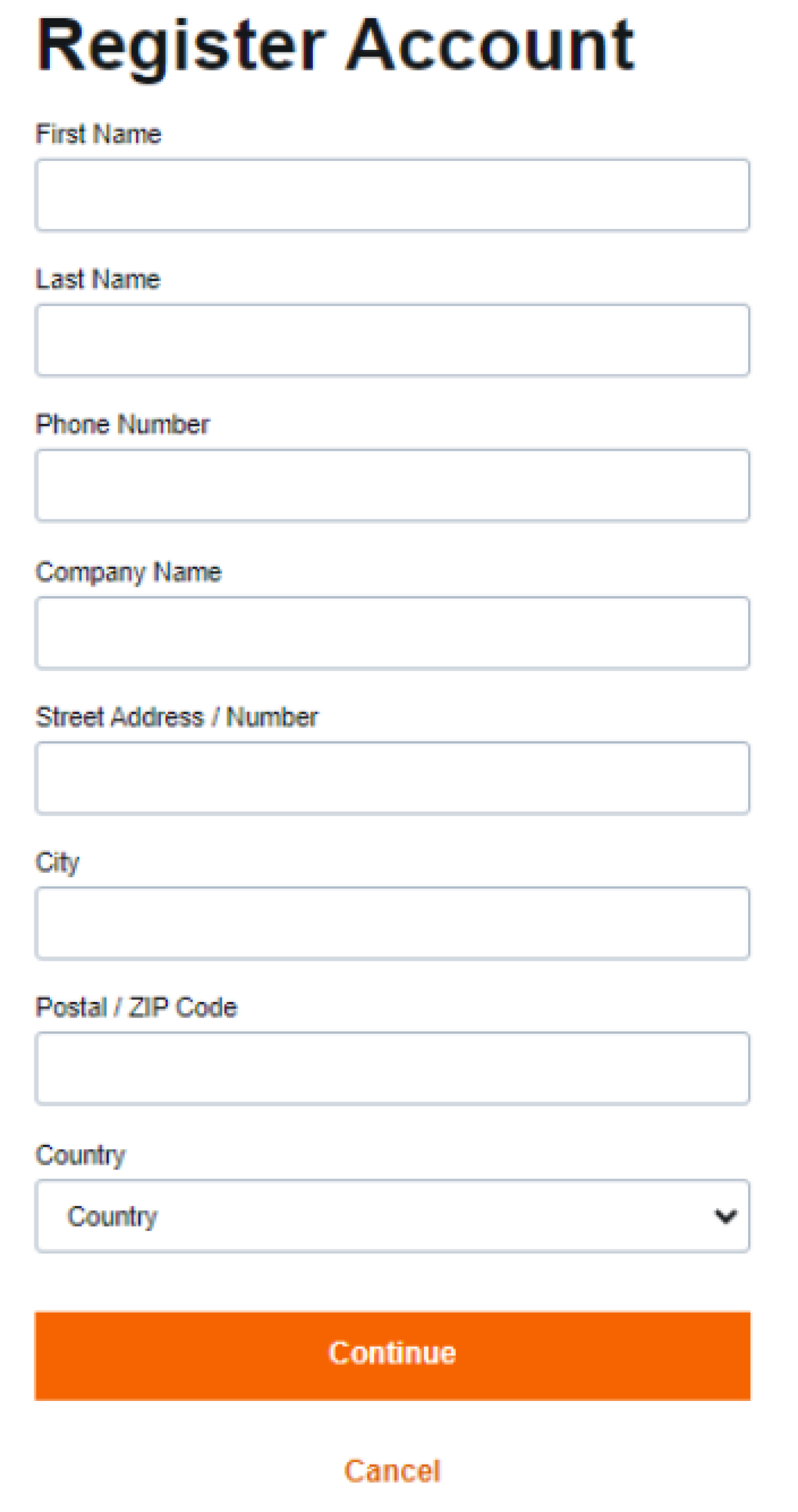
Please fill out the form that opens. You have to insert your own contact details.
- First Name
- Last Name
- Phone Number (work phone)
- Company Name
- Address
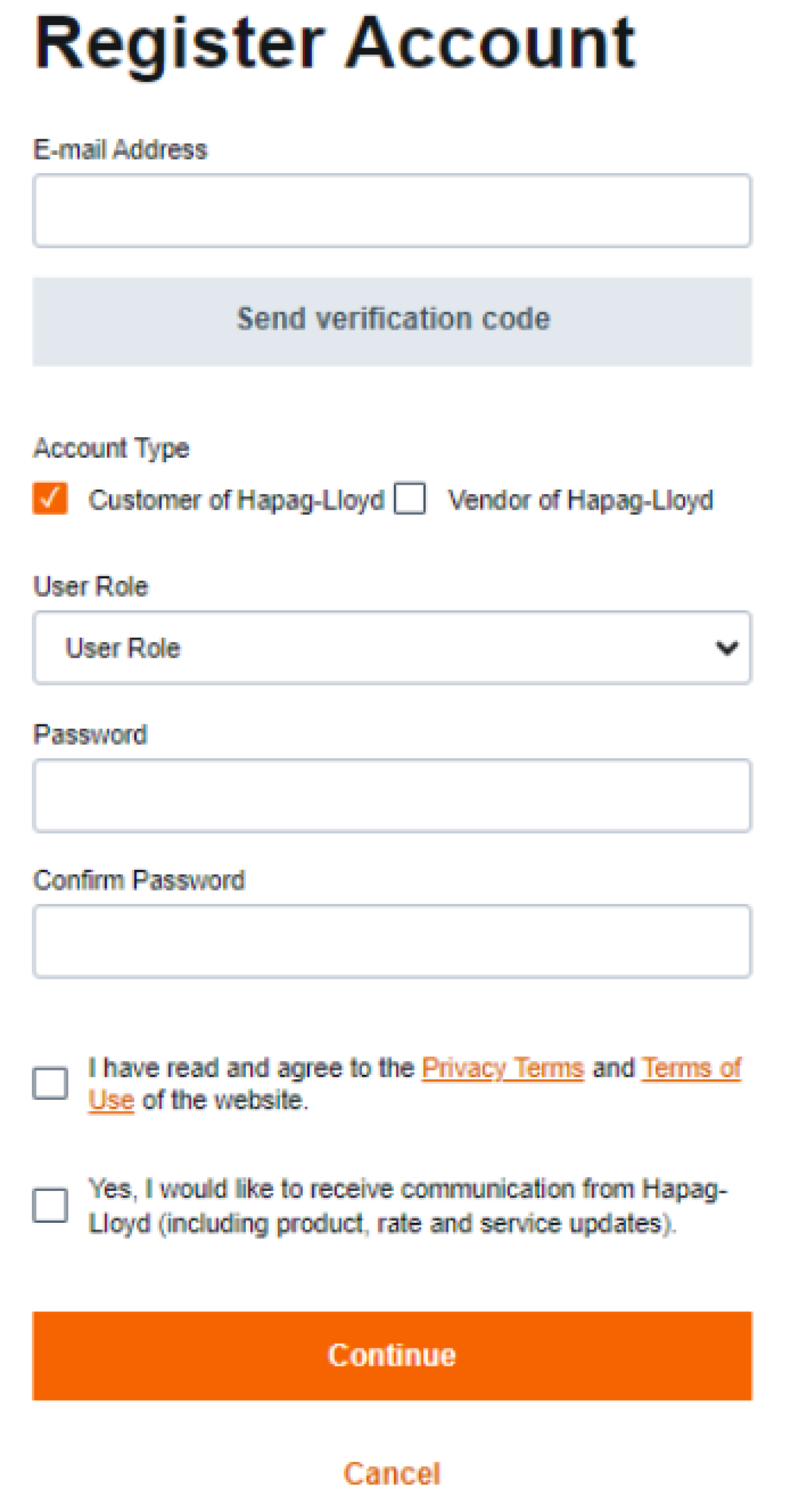
Click on "Continue" and fill in your email address. Afterwards click on "Send verification code".
Please note: Only business email addresses will be accepted. Generic email domains such as gmail, hotmail, yahoo etc. will not be accepted in the registering process.
3. Start You Digital Journey with Hapag-Lloyd
After a couple of minutes, you will receive an email with your personal verification code. The code will be valid for 20 minutes.
Copy the code and return to your browser to finalize your registration.
Fill out the remaining details:
- Account Type
- User Role
Set a Password and agree to the Terms and Conditions (mandatory) and select the newsletter subscription box (optional).
4. Start You Digital Journey with Hapag-Lloyd
Your credentials will be reviewed from our side, and depending on your status (vendor, customer, etc.) you will receive another email informing you about your access.
Until your final account is in place, you can already use our guest access and try our Quotation solutions.